
API-First Website Localization: CMS Webhooks, CI/CD and Caching
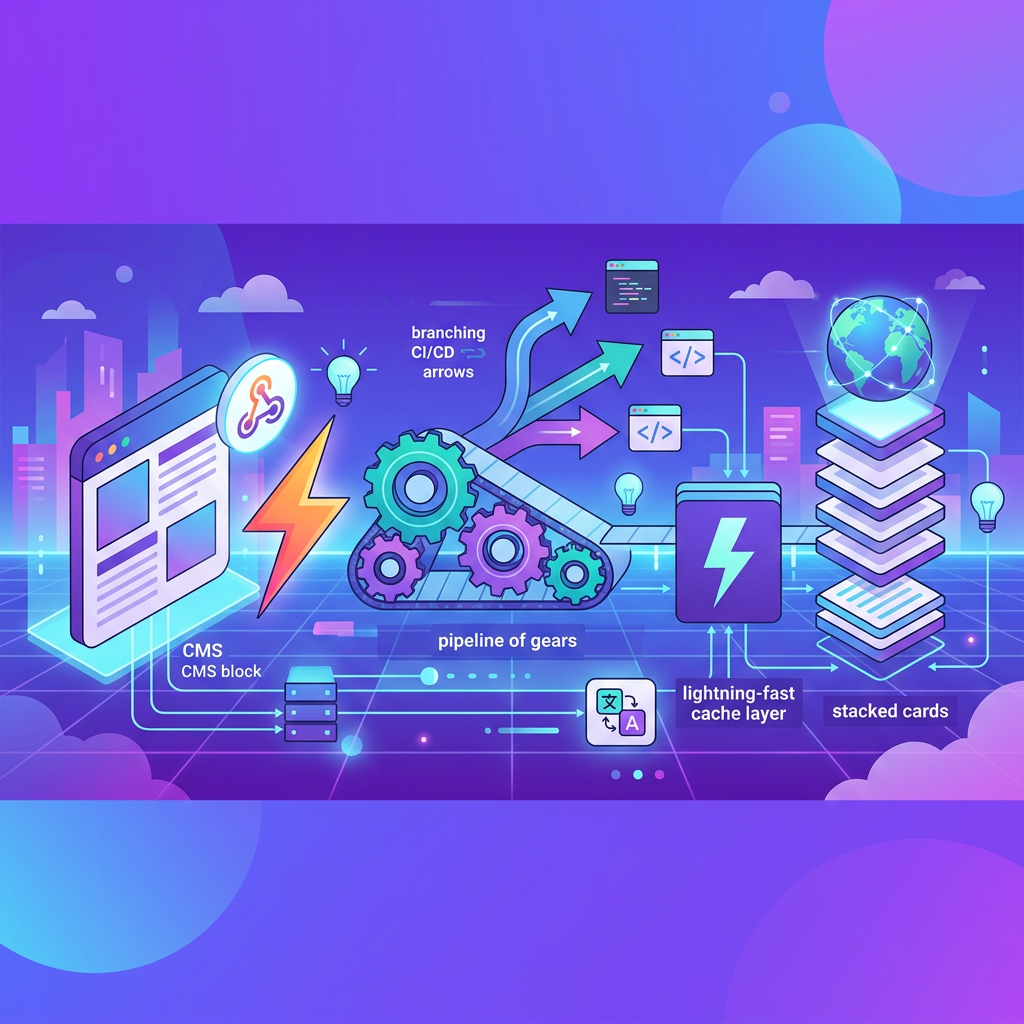
API-first website localization architecture: CMS webhooks that trigger translation on publish, CI/CD hooks that keep code and content in sync, and the caching strategy that serves localized pages fast.

Most localization workflows break the moment a content team publishes faster than translators can keep up. An editor updates a landing page in the CMS, a developer ships new UI strings in a feature branch, and within hours the production site serves stale or missing translations to half its audience. The root cause is almost always the same: localization is bolted on as an afterthought instead of wired into the content and deployment pipeline from the start.
An API-first approach treats translation as a first-class event in your content lifecycle. CMS webhooks trigger translation requests the instant content changes. CI/CD pipelines gate deployments on translation completeness. CDN caches invalidate per locale when fresh content arrives. This article walks through the architecture, patterns, and security considerations you need to build that system, and keep it running at scale.
If your team is already feeling the pain of disconnected localization workflows, See how Ollang plugs directly into your pipeline.
Event-Driven Content Pipelines with CMS Webhooks
Listening for Publish and Update Events
Every modern headless CMS, Contentful, Strapi, Sanity, Hygraph, and others, supports webhook notifications on content lifecycle events. The two events that matter most for localization are publish (new content goes live for the first time) and update (existing published content changes). Your localization middleware should subscribe to both.
A typical webhook payload from a headless CMS looks something like this:
{
"event": "entry.publish",
"model": "landing_page",
"entry": {
"id": "page_4f92a",
"locale": "en-US",
"fields": {
"title": "Summer Sale, Up to 40% Off",
"body": "<p>Shop our <a href='/collection/summer'>summer collection</a> before it's gone.</p>",
"hero_image": { "ref": "asset_img_8821" },
"seo_description": "Limited-time summer deals on all categories."
},
"version": 14,
"updated_at": "2025-01-15T09:32:00Z"
}
}
Your webhook receiver should immediately acknowledge the event with an HTTP 200 or 202 response, then enqueue the payload for asynchronous processing. Never perform translation API calls synchronously inside the webhook handler, CMS platforms typically enforce response time limits (often five to ten seconds), and a timeout will trigger retries that create duplicate work.
Designing Idempotent Pull/Push Flows
Idempotency is non-negotiable in event-driven localization. Webhooks can fire more than once for the same event due to network retries, CMS bugs, or infrastructure hiccups. Your system must handle duplicate deliveries gracefully.
The simplest approach is to derive a deterministic job key from the content entry ID and its version number (e.g., page_4f92a:v14). Before enqueuing a translation request, check whether a job with that key already exists. If it does, skip or merge the request.
The pull/push flow works like this:
1. Pull: On receiving a webhook, fetch the full entry from the CMS API (webhooks sometimes carry partial payloads or stale snapshots). Use the CMS read API as the source of truth.
2. Diff: Compare the fetched content against the last version you sent for translation. Only submit changed fields to avoid retranslating unchanged segments.
3. Push: Send the changed fields to the translation API. Tag the request with the entry ID, version, source locale, and target locales.
4. Callback: When translations complete, push them back to the CMS via its write API, targeting each locale's entry variant.
This pattern keeps your middleware stateless aside from a lightweight job ledger, and it guarantees that every translation request maps to exactly one content version.
Batching, Retries, and Exponential Backoff
Sending one API call per field per locale per entry will quickly exhaust rate limits on both the CMS and translation sides. Batch related fields into a single translation request whenever the API supports it. Group by entry, not by field.
For retries, implement exponential backoff with jitter. A practical schedule:
| Attempt | Base Delay | With Jitter (example) |
|---|---|---|
| 1 | 1 s | 0.8-1.2 s |
| 2 | 2 s | 1.6-2.4 s |
| 3 | 4 s | 3.2-4.8 s |
| 4 | 8 s | 6.4-9.6 s |
| 5 | 16 s | 12.8-19.2 s |
After five failed attempts, route the job to a dead-letter queue for manual inspection. Never retry indefinitely, unbounded retries mask upstream failures and can amplify outages.
Handling Rich Text, Structured Fields, and References
Parsing Rich Text with Embedded Assets
Rich text fields are the hardest part of CMS localization. A body field might contain inline links, embedded images with alt text, video components, and custom blocks, all serialized as structured JSON (like Contentful's Rich Text AST) or as HTML.
The key rules:
- Extract translatable strings only. Strip structural markup, preserve it as skeleton, and send only the text nodes and translatable attributes (alt text, title attributes, link labels) to translation.
- Preserve placeholders for embedded assets. Replace inline asset references with numbered tokens (e.g., {{asset_1}}) before translation. Reinsert them afterward. This prevents translators from accidentally modifying asset IDs.
- Handle inline formatting. Bold, italic, and link tags should travel with the text segment they wrap. Most translation APIs support inline markup in XLIFF or HTML-like segments.
A field mapping table helps your team stay consistent:
- Short text/title: translatable; send as plain string
- Rich text body: translatable; extract text nodes, preserve structure skeleton
- Image alt text: translatable; extract, translate, write back to asset metadata
- Slug/URL path: sometimes translatable; translate only if locale-specific URLs are used
- Reference/relation: not translatable; resolve, but do not translate the reference ID
- Number/boolean: skip
- SEO meta description: translatable; send as plain string and flag character limits
Reference Resolution and Nested Content
Entries in a headless CMS frequently reference other entries, a landing page links to a product card, which links to a category. Your middleware needs to decide how deep to resolve references for translation.
A practical rule: resolve one level deep. If a landing page references a product card, check whether the product card itself has already been translated. If not, enqueue it as a separate translation job. Do not flatten deeply nested content into a single massive payload, it creates brittle coupling and makes partial updates painful.
Track reference relationships in your job ledger so you can detect when a parent entry is waiting on a child translation to complete before its own locale variant is fully publishable.
Locale Fallbacks, Versioning, and Translation State
Configuring Locale Fallback Chains
Not every locale needs a full translation on day one. A well-designed fallback chain ensures users always see something coherent:
- fr-CA β fr-FR β en-US
- pt-BR β pt-PT β en-US
- zh-HK β zh-TW β en-US
Implement fallbacks at the application layer, not inside the CMS (where fallback behavior varies widely between platforms). When your rendering layer requests content for fr-CA and finds a field untranslated, it walks the chain until it finds a populated value. Log every fallback hit, a high fallback rate for a given locale signals that translations are lagging behind content velocity.
Mapping Translation States to CMS Workflow
Translation jobs move through states that should map cleanly to your CMS's content workflow:
| Translation State | CMS Status Equivalent | Visible to Users? |
|---|---|---|
| Pending | Draft (locale) | No |
| In Progress | Draft (locale) | No |
| Review | In Review (locale) | Preview only |
| Approved | Ready to Publish | No (until deployed) |
| Published | Published (locale) | Yes |
Write translations back to the CMS as drafts. Only promote them to published status after review approval. This prevents half-finished translations from leaking to production.
Version every translation against the source content version. If the English entry is at version 14 and the French translation was produced against version 12, your system should flag it as stale and re-enqueue the changed segments.
CI/CD Integration for Localized Deployments
Pre-Deploy String Extraction and Translation Gating
For UI strings that live in code (button labels, error messages, form placeholders), extract them during the build step rather than relying on manual handoffs. Tools like i18next-parser, formatjs extract, or custom AST scripts can scan your codebase and produce structured locale files (JSON, YAML, or XLIFF).
Wire this extraction into your CI pipeline:
# Example GitHub Actions step
- name: Extract UI strings
run: npx formatjs extract 'src/**/*.tsx' --out-file locale/en.json --id-interpolation-pattern '[sha512:contenthash:base64:6]'
- name: Push strings to translation API
run: node scripts/push-to-translation.js --source locale/en.json --targets fr,de,ja,es
- name: Gate on translation completeness
run: node scripts/check-translation-status.js --threshold 100 --locales fr,de,ja,es
The gating step is critical. If any target locale falls below your completeness threshold, the pipeline should either block the deploy or deploy with an explicit fallback-to-source-language flag. Teams commonly set a 100% gate for tier-one markets and a lower threshold (such as 95%) for secondary locales, with fallback rendering for the missing strings.
Preview Environments for Linguistic Review
Reviewers need to see translations in context, not in spreadsheets. Spin up per-locale preview environments as part of your pull request workflow. When a translation job completes, deploy a preview build that renders the target locale with the new strings and CMS content.
Pass the preview URL to reviewers automatically, via Slack notification, email, or a comment on the translation job. Include a direct link to the specific page or component that changed. Context-blind review is the leading cause of post-launch localization bugs.
If your team wants previews connected directly to your translation workflow, See how Ollang integrates translations with CI/CD and preview environments.
Ready to see Ollang in action?
Talk to our team about your localization goals and see how the Ollang platform fits your workflow.
CDN and Cache Invalidation per Locale
Path-Based and Header-Based Locale Routing
Most CDNs (Cloudflare, Fastly, AWS CloudFront, Akamai) support cache segmentation by either URL path (/fr/about) or request header (Accept-Language). Path-based routing is simpler to reason about and debug. It produces distinct cache keys per locale automatically.
If you use header-based routing, configure your CDN to include the Accept-Language header (or a custom X-Locale header) in the cache key. Without this, a French user might receive a cached English page served to a previous visitor.
Surgical Cache Invalidation on Translation Publish
When a translation publishes, invalidate only the affected locale and path, not the entire cache. A blanket purge tanks performance for every user across every locale.
Your translation callback handler should:
1. Identify the URL path(s) associated with the updated CMS entry.
2. Construct invalidation requests scoped to the specific locale prefix and path.
3. Send the purge request to your CDN's API.
Example invalidation payload for Fastly:
{
"surrogate_keys": ["page_4f92a:fr-FR", "page_4f92a:de-DE"]
}
Using surrogate keys (or cache tags in Cloudflare's terminology) is far more efficient than path-based purging, especially for entries that appear on multiple pages (like a shared footer or navigation component).
Set a reasonable TTL for localized content, long enough to benefit from caching (hours to days for stable pages), short enough that stale translations don't linger if an invalidation fails. A TTL of four to twenty-four hours with event-driven invalidation on top covers most use cases.
Security: OAuth, Signed Webhooks, and PII Redaction
Authenticating and Verifying Every Request
Every integration point in this pipeline is an attack surface. Lock them down:
- CMS webhooks: Verify webhook signatures. Most CMS platforms sign payloads with HMAC-SHA256 using a shared secret. Reject any request with an invalid or missing signature. See Contentfulβs reference pattern: https://www.contentful.com/developers/docs/concepts/webhooks/
- Translation API calls: Use OAuth 2.0 client credentials or API keys stored in a secrets manager (not in environment variables checked into source control). Rotate keys on a regular cadence.
- CMS write-back: The service account that writes translations back to the CMS should have scoped permissions, write access to locale-specific content fields only, no ability to delete entries or modify the content model.
Redacting PII Before Translation
Content destined for translation may contain personally identifiable information, user names in testimonials, email addresses in support content, or phone numbers in contact pages. Before sending content to any external translation service, scan for and redact PII patterns.
A basic redaction pipeline:
1. Run a regex-based scanner for email addresses, phone numbers, and national ID patterns.
2. Replace detected PII with deterministic tokens (e.g., {{PII_EMAIL_1}}).
3. Send the redacted content for translation.
4. After translation, reinsert the original PII values using the token map.
For regulated industries (healthcare, finance), pair regex scanning with a named-entity recognition model to catch PII that doesn't match simple patterns.
Observability: Queues, Dead Letters, and Latency SLOs
Monitoring the Translation Pipeline
An event-driven pipeline with multiple async stages needs proper observability. At minimum, instrument these metrics:
- Queue depth: How many translation jobs are waiting to be processed? A growing queue signals either a rate-limit issue or a downstream outage.
- Job latency: Time from webhook receipt to translation delivery. Set an SLO, for example, 95% of translation jobs complete within two hours for machine translation, or within 24 hours for human review workflows.
- Error rate: Percentage of jobs that fail and land in the dead-letter queue.
- Fallback rate: Percentage of page renders that hit the locale fallback chain. A spike means translations aren't keeping up with publishes.
Dead-Letter Handling and Alerting
Jobs that exhaust their retry budget should land in a dead-letter queue (DLQ), not disappear silently. Each DLQ entry should carry the original payload, the error history, and the number of retry attempts.
Set up alerts on DLQ depth. A single entry might be a transient glitch. Ten entries in an hour indicates a systemic problem, a misconfigured API key, a schema change in the CMS, or a translation API outage.
Build a simple admin interface or CLI tool that lets an operator inspect, replay, or discard DLQ entries. Replaying should be a one-click operation that re-enqueues the job with a fresh retry counter.
Rate-Limit Strategies
Both CMS APIs and translation APIs enforce rate limits. Hitting them causes cascading failures across the pipeline.
Practical strategies:
- Token bucket at the client level. Before making any outbound API call, acquire a token from a local rate limiter configured to stay under the provider's published limits. This is cheaper and faster than relying on 429 responses.
- Prioritize by content type. High-traffic landing pages should translate before blog archives. Assign priority tiers and process the queue accordingly.
- Spread bulk operations. If you're onboarding a new locale and need to translate thousands of existing entries, don't blast them all at once. Throttle to a sustainable rate (e.g., 50 entries per minute) and run the backfill over hours or days.
- Cache CMS reads. When your middleware pulls full entries from the CMS API after receiving a webhook, cache the response for a short window (30-60 seconds). Multiple webhooks for the same entry in rapid succession (common during bulk publishes) can then share a single API read.
Reference Implementation Pattern
The following pattern gives teams a starting point they can adapt to their own CMS, translation provider, and deployment stack. It's designed around Ollang's translation API but the architecture applies broadly. Ollang's API supports structured segments, callback delivery, and review workflows that simplify write-back and invalidation.
βββββββββββββββ webhook ββββββββββββββββββββ
β CMS β βββββββββββββββΆβ Webhook Receiver β
β (Contentful,β β (verify sig, β
β Sanity, β β ack 202, β
β Strapi) β β enqueue job) β
βββββββββββββββ ββββββββββ¬ββββββββββ
β
βΌ
ββββββββββββββββββββ
β Job Queue β
β (Redis, SQS, β
β Cloud Tasks) β
ββββββββββ¬ββββββββββ
β
βΌ
ββββββββββββββββββββ
β Worker β
β - Fetch full β
β entry from CMS β
β - Diff vs last β
β sent version β
β - Redact PII β
β - Map fields β
β - POST to Ollang β
β Translation APIβ
ββββββββββ¬ββββββββββ
β
βββββββββββββββ΄βββββββββββββββ
βΌ βΌ
ββββββββββββββββ ββββββββββββββββ
β Ollang API β β Dead-Letter β
β (translate, β β Queue β
β review, β β (failed jobs) β
β callback) β ββββββββββββββββ
ββββββββ¬ββββββββ
β callback / poll
βΌ
ββββββββββββββββββββ
β Callback Handler β
β - Write to CMS β
β (draft locale) β
β - Invalidate CDN β
β - Notify reviewersβ
β - Update job β
β ledger β
ββββββββββββββββββββ
Field Mapping Tips
When mapping CMS fields to translation API payloads, follow these conventions:
- Use dot-notation keys that preserve the CMS structure: fields.title, fields.body, fields.seo_description. This makes write-back trivial, you know exactly where each translated string belongs.
- Tag each segment with its field type (plain_text, rich_text, seo_meta) so the translation engine can apply appropriate length constraints and formatting rules.
- Include the source locale and all target locales in a single request rather than making separate calls per target. Batch translation is both faster and cheaper.
Sample Translation Request Payload
{
"source_locale": "en-US",
"target_locales": ["fr-FR", "de-DE", "ja-JP"],
"content_ref": "page_4f92a",
"content_version": 14,
"callback_url": "https://your-app.com/api/translation-callback",
"segments": [
{
"key": "fields.title",
"type": "plain_text",
"value": "Summer Sale, Up to 40% Off"
},
{
"key": "fields.body",
"type": "rich_text",
"value": "<p>Shop our <a href='/collection/summer'>summer collection</a> before it's gone.</p>"
},
{
"key": "fields.seo_description",
"type": "seo_meta",
"value": "Limited-time summer deals on all categories.",
"constraints": { "max_length": 160 }
}
]
}
This structure gives the translation engine everything it needs, context, constraints, and a callback address, in a single request. The callback handler then writes each translated segment back to the CMS at the correct field path and locale.
Frequently Asked Questions
How do I prevent duplicate translations when CMS webhooks fire multiple times?
Derive a deterministic job key from the entry ID and content version (e.g., page_4f92a:v14). Before enqueuing a new translation job, check your job ledger for that key; if it exists, skip the duplicate.
What happens if a translation isn't ready when a deploy goes out?
Your CI/CD pipeline should include a translation completeness gate. If a target locale falls below your threshold, either block the deploy or proceed with a fallback-to-source flag and rely on your locale fallback chain at render time.
How should I handle rate limits from both the CMS API and the translation API?
Use a client-side token bucket rate limiter tuned to stay under each provider's published limits, prioritize high-traffic content, throttle bulk backfills, and cache CMS reads for a short window to avoid redundant fetches.
Is it safe to send all CMS content to an external translation API?
Not without precautions. Scan and redact PII before sending, replace values with tokens during translation, and use OAuth2 or scoped keys so your provider only processes redacted content under your security controls.
Ready to see Ollang in action?
Talk to our team about your localization goals and see how the Ollang platform fits your workflow.
Get Started with API-First Localization
Building an event-driven, API-first localization pipeline eliminates the lag between content changes and translated deployments. The patterns in this article, webhook-driven triggers, idempotent job processing, CI/CD gating, surgical cache invalidation, and proper observability, give your team a production-grade foundation.
Ollang's translation API is built for exactly this architecture: structured segment submission, callback-driven delivery, quality review workflows, and the throughput to keep pace with high-velocity content teams.
Published on July 30, 2026