
Back to Partners
Guide

CI/CD for Localization: Repo-Connected Workflows via APIs

Repo-connected localization workflows via APIs: syncing strings between your repository and translation systems, pull-request-based review of translated content, and the automation that removes manual handoffs.

CI/CD for Localization: Repo-Connected Workflows via APIs

Localization that depends on manual file handoffs, export, email, wait, re-import, creates a bottleneck that scales poorly as release cadences tighten. When your engineering team ships daily but translations arrive weekly, you either delay launches or ship incomplete experiences. The fix is to treat localization as a first-class CI/CD concern: extracting translatable strings from code automatically, pushing them to a translation layer via API, listening for completion webhooks, and pulling localized bundles back into the build, all without a human touching a file. This article walks through the concrete architecture, pipeline configuration, file-format handling, quality gates, and failure-recovery patterns you need to wire translation APIs into your existing repo-connected workflows.

If your team is ready to eliminate manual localization handoffs, explore how Ollang's API layer fits into your pipeline.

Why Localization Belongs in Your CI/CD Pipeline

The Cost of Manual Handoffs

Manual localization workflows introduce three compounding problems. First, context loss: developers extract strings into spreadsheets or ad-hoc files, stripping away the code context that translators need. Second, sync drift: by the time translations return, the source strings have changed, creating merge conflicts and orphaned keys. Third, invisible delays: localization becomes the long pole in the release tent, but because it happens outside the engineering workflow, it rarely shows up on sprint boards or velocity charts.

Industry analyses such as the Nimdzi 100 report show that localization is a large and growing market, yet a significant share of enterprise effort is still consumed by project management overhead rather than actual translation. Automating the handoff eliminates that overhead.

How API-Driven Workflows Remove Bottlenecks

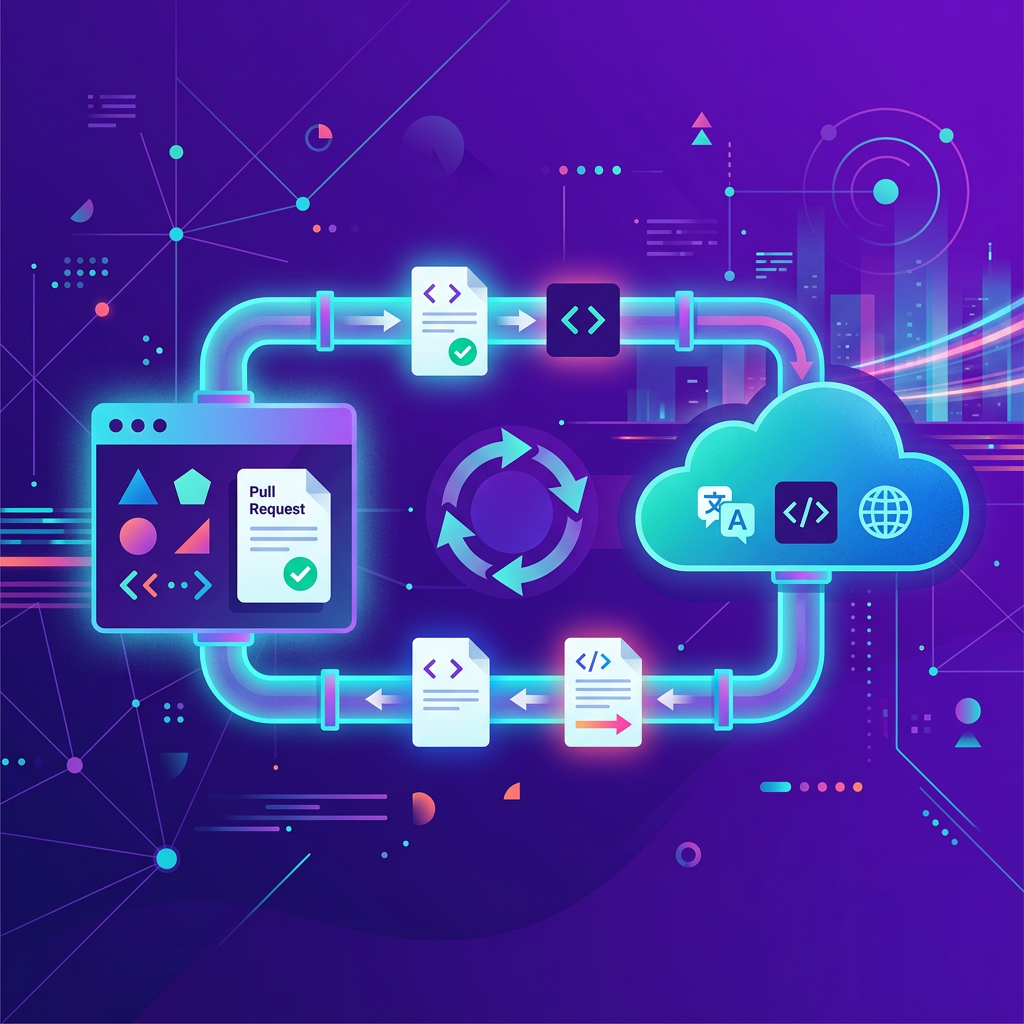
An API-driven localization workflow mirrors what modern engineering already does with linting, testing, and deployment:

  1. Trigger on change. A commit or pull request that modifies source strings kicks off the localization job.
  2. Push via API. Resource files are sent to the translation layer programmatically, with metadata (branch, commit SHA, file format).
  3. Translate asynchronously. The translation engine, whether human, machine, or hybrid, processes the job without blocking the developer.
  4. Receive via webhook. A callback notifies the pipeline when translations are ready.
  5. Pull and build. The pipeline fetches localized bundles, runs quality checks, and produces artifacts.

This model treats translations like any other build dependency: fetched, validated, and bundled automatically. Ollang provides an API-first layer that supports webhook handling, manifest uploads, and metadata tracking to integrate these steps directly into CI/CD.

Extracting and Pushing Source Strings via API

Identifying Translatable Keys in Code

Reliable extraction starts with convention. Most frameworks already define how translatable strings are declared:

Platform / FrameworkKey Declaration PatternResource File Format
AndroidgetString(R.string.key)XML (res/values/strings.xml)
iOS / macOSNSLocalizedString("key", …).strings or .stringsdict
React (react-intl)<FormattedMessage id="key" />JSON
Java / Springmessages.propertiesProperties / XLIFF
Generic (ICU){count, plural, one {…} other {…}}JSON / XLIFF

Extraction tools like i18next-parser, genstrings, or Android's lint can scan source code and produce canonical resource files. The critical rule: every translatable string must have a stable key. Auto-generated keys based on the source text itself cause churn whenever copy changes.

Your extraction step should run as an early pipeline stage, producing a deterministic set of resource files that become the API payload.

Pushing Resource Files to the Translation API

Once you have clean resource files, the API call is straightforward. A typical request to a translation API endpoint looks like this:

curl -X POST https://api.translation-service.example/v1/jobs \
-H "Authorization: Bearer $TMS_API_TOKEN" \
-H "Content-Type: multipart/form-data" \
-F "file=@src/locales/en/messages.json" \
-F "source_language=en" \
-F "target_languages=de,fr,ja" \
-F "callback_url=https://ci.yourcompany.com/hooks/translation-complete" \
-F "reference=main/abc1234"

Key parameters to include:

  • Source and target languages as BCP 47 tags.
  • Callback URL for the webhook that signals completion.
  • Reference metadata (branch name, commit SHA) so you can match the response to the right build.
  • File format hint if the API doesn't auto-detect (e.g., xliff-2.0, android-xml, ios-strings).

For bulk operations, say, pushing dozens of resource files across multiple modules, batch the uploads in a single API call or use a manifest endpoint if available. This reduces round trips and keeps rate-limit consumption predictable.

Webhook-Driven Job Completion and Bundle Generation

Listening for Translation Webhooks

Asynchronous translation jobs need a reliable notification mechanism. Webhooks are the standard pattern. When the translation job finishes, the API sends an HTTP POST to your registered callback URL with a payload like:

{
"event": "job.completed",
"job_id": "j-98a3f1",
"reference": "main/abc1234",
"status": "complete",
"target_languages": ["de", "fr", "ja"],
"download_urls": {
"de": "https://api.translation-service.example/v1/jobs/j-98a3f1/download?lang=de",
"fr": "https://api.translation-service.example/v1/jobs/j-98a3f1/download?lang=fr",
"ja": "https://api.translation-service.example/v1/jobs/j-98a3f1/download?lang=ja"
}
}

Your webhook receiver should:

- Verify the signature. Most translation APIs sign webhook payloads with HMAC-SHA256. Validate before processing.

- Match the reference to a pending build or branch.

- Trigger the downstream pipeline stage (fetch, validate, bundle).

If your CI system doesn't natively support inbound webhooks (some hosted runners don't), use a lightweight relay: a serverless function that receives the webhook and triggers a pipeline via the CI system's own API (e.g., GitHub Actions repository_dispatch or GitLab pipeline triggers).

Generating Localized Bundles per Branch

Each branch should produce its own set of localized bundles. This prevents half-translated strings from a feature branch from leaking into the main build. The bundle generation step:

  1. Downloads translated files from the API for the specific branch reference.
  2. Places them in the correct directory structure (e.g., res/values-de/strings.xml for Android).
  3. Runs format validation (well-formed XML, valid JSON, correct .strings escaping).
  4. Commits the bundles back to the branch or stores them as build artifacts.

For monorepos with multiple apps, namespace the bundles by module to avoid key collisions.

Pipeline Configuration: GitHub Actions and GitLab CI Examples

Secrets Management and Environment Isolation

Never hard-code API tokens. Both GitHub Actions and GitLab CI provide encrypted secret storage.

GitHub Actions, store your translation API token as a repository secret (TMS_API_TOKEN) and reference it in the workflow:

env:
TMS_API_TOKEN: ${{ secrets.TMS_API_TOKEN }}

GitLab CI, use CI/CD variables with the "Masked" and "Protected" flags enabled, scoped to specific environments:

variables:
TMS_API_TOKEN: $TMS_API_TOKEN

Environment isolation matters because you typically want different behavior across contexts:

EnvironmentBehavior
Feature branchPush strings, receive translations, but don't publish bundles to production CDN
StagingFull translation round-trip with QA review step
Production / mainOnly accept bundles that passed all quality gates

Use branch-based rules (if: github.ref == 'refs/heads/main' in GitHub Actions, rules: - if: $CI_COMMIT_BRANCH == "main" in GitLab) to gate which stages run.

When you’re ready to wire this into GitHub/GitLab, from secrets to webhooks and quality gates, get a walkthrough tailored to your stack.

Dry Runs and Preview Builds

A dry-run mode lets you validate the pipeline without actually submitting translation jobs or spending API credits. Implement it by adding a flag:

# GitHub Actions example
jobs:
localize:
runs-on: ubuntu-latest
steps:
- uses: actions/checkout@v4

- name: Extract strings
run: npx i18next-parser

- name: Diff source strings
run: diff <(git show HEAD~1:src/locales/en/messages.json) src/locales/en/messages.json || true

- name: Push to translation API
if: env.DRY_RUN != 'true'
run: |
curl -X POST https://api.translation-service.example/v1/jobs \
-H "Authorization: Bearer $TMS_API_TOKEN" \
-F "file=@src/locales/en/messages.json" \
-F "source_language=en" \
-F "target_languages=de,fr,ja"

- name: Dry-run summary
if: env.DRY_RUN == 'true'
run: echo "Dry run, skipped API push. Changed keys listed above."

The diff step is valuable even outside dry runs: it shows reviewers exactly which strings changed, making PR reviews localization-aware.

Ready to see Ollang in action?

Talk to our team about your localization goals and see how the Ollang platform fits your workflow.

Book a Demo

File Format Handling and Placeholder Integrity

Supporting XLIFF, JSON, Android XML, and iOS .strings

Your pipeline must handle whatever format your codebase uses, and sometimes multiple formats simultaneously. Each has quirks:

  • XLIFF 1.2 / 2.0, The OASIS XLIFF standard is the interchange lingua franca. It preserves segment-level metadata (state, notes, inline markup). Prefer XLIFF 2.0 for new projects; it handles inline elements more cleanly.
  • JSON, Flat or nested key-value pairs. Watch for frameworks that expect specific nesting conventions (e.g., react-intl vs. i18next). Always specify the schema to the API.
  • Android XML, Uses <string>, <string-array>, and <plurals> elements. Apostrophes and special characters must be escaped per Android resource documentation.
  • iOS .strings, Key-value pairs with C-style escaping. The .stringsdict variant handles plurals via property lists.

When pushing files to the API, explicitly declare the format rather than relying on auto-detection. Misidentified formats produce silent corruption.

Validating Placeholders and ICU Patterns

Placeholder corruption is the single most common localization defect. A translator who accidentally deletes {userName} or reorders %1$s and %2$s will cause runtime crashes or garbled output.

Build a validation step that runs after translations are received:

import re, json, sys

def validate_placeholders(source: dict, target: dict) -> list:
errors = []
for key, src_val in source.items():
tgt_val = target.get(key)
if tgt_val is None:
errors.append(f"Missing key: {key}")
continue
src_ph = set(re.findall(r'\{[^}]+\}', src_val))
tgt_ph = set(re.findall(r'\{[^}]+\}', tgt_val))
if src_ph != tgt_ph:
errors.append(f"Placeholder mismatch in '{key}': expected {src_ph}, got {tgt_ph}")
return errors

with open("src/locales/en/messages.json") as f:
source = json.load(f)
with open("src/locales/de/messages.json") as f:
target = json.load(f)

errors = validate_placeholders(source, target)
if errors:
print("\n".join(errors), file=sys.stderr)
sys.exit(1)

For ICU MessageFormat patterns (plurals, selects, nested arguments), use a dedicated parser like @formatjs/icu-messageformat-parser or icu4j to validate syntax before the bundle enters the build. An invalid ICU pattern that slips through will crash the app at runtime in a specific locale, hard to catch in QA if you only test in English.

Translation Memory Prefill to Reduce Churn

Using the TM API to Leverage Existing Translations

Every time you push source strings to the translation API, a significant percentage may already have approved translations in your translation memory. Prefilling these matches before sending the job to human translators reduces turnaround time and cost.

The typical flow:

1. Query the TM endpoint with your source segments and target language.

2. Apply exact matches (100% matches) directly to the target file.

3. Flag fuzzy matches (typically 75-99% similarity) for human review.

4. Send only unmatched and fuzzy segments as the translation job.

curl -X POST https://api.translation-service.example/v1/tm/lookup \
-H "Authorization: Bearer $TMS_API_TOKEN" \
-H "Content-Type: application/json" \
-d '{
"source_language": "en",
"target_language": "de",
"segments": [
{"key": "welcome_msg", "text": "Welcome back, {userName}!"},
{"key": "logout_btn", "text": "Log out"}
]
}'

The response indicates match quality per segment. Your pipeline script applies 100% matches, reducing the volume (and cost) of the actual translation job. Over time, as your TM grows, the proportion of pre-filled segments increases, and translation jobs become faster and cheaper.

If your organization manages localization across multiple products, see how Ollang centralizes TM and glossary assets across pipelines.

Failure Modes, Rollback, and Artifact Signing

Handling Missing Keys and Invalid ICU Patterns

Things will break. Plan for it:

- Missing keys in target files. The translation job may return a file that omits keys the source added mid-flight. Your validation step should compare the key set of source and target files and fail the build if any key is absent. Fall back to the source-language string rather than showing a raw key to users.

- Invalid ICU MessageFormat. A malformed plural rule or unclosed brace will crash ICU-aware formatters. Parse every translated string through an ICU validator before accepting the bundle.

- API timeouts. Translation APIs may be temporarily unreachable. Implement retries with exponential backoff (e.g., 1s, 2s, 4s, capped at 30s) and a circuit breaker that falls back to the last known-good bundle after a configurable number of failures.

- Webhook delivery failures. Webhooks can be lost. Supplement them with a polling fallback: if no webhook arrives within a timeout window, poll the job status endpoint.

Rolling Back Bundles

If a localized bundle introduces a defect, garbled strings, placeholder errors that escaped validation, or a wrong-language file, you need a fast rollback path.

- Version your bundles. Tag each set of localized files with the commit SHA and a build number. Store previous versions as pipeline artifacts or in an artifact registry.

- Separate bundle deployment from code deployment. If localized strings are served from a CDN or remote config system, you can roll back strings independently of the application binary.

- Automate rollback triggers. If post-deploy monitoring detects a spike in rendering errors or crash rates tied to a specific locale, automatically revert to the previous bundle version.

Signing Localized Artifacts

For regulated industries or app stores that require provenance verification, sign your localized bundles:

1. Generate a checksum (SHA-256) of each bundle file.

2. Sign the checksum with your build pipeline's private key.

3. Embed the signature in the build manifest.

4. At runtime or during store submission, verify the signature against the public key.

This ensures that no one has tampered with translations between the CI pipeline and the end user, important for legal and financial content where a mistranslation can have regulatory consequences.

Frequently Asked Questions

How do I prevent localization from blocking my release cycle?

Run translation jobs asynchronously and decouple them from the main build. Use webhooks to trigger downstream steps only when translations are ready. For urgent releases, configure a fallback that ships with the previous bundle or source-language strings, then updates translations in a follow-up deploy. Tools like Ollang can manage asynchronous jobs and fallbacks within CI/CD to minimize blocking.

Which file format should I standardize on for API-based localization?

Use whatever your framework consumes natively, JSON for web, Android XML for Android, .strings for iOS. If you need a cross-platform interchange format for translation vendors, XLIFF 2.0 is the industry standard. Most translation APIs accept and return multiple formats, so you rarely need to convert manually.

How do I handle plural rules and gender-dependent strings across locales?

Use ICU MessageFormat syntax, which supports plural, select, and selectordinal patterns. Validate every translated ICU string with a parser before accepting it into the bundle. Different languages have different plural categories (Arabic has six), so never assume the source language's plural structure applies universally. The Unicode CLDR documents the rules per locale.

What happens if the translation API is down during a build?

Implement a retry strategy with exponential backoff. If retries exhaust, fall back to the last successfully built bundle stored as a pipeline artifact. Log the failure and alert the localization team so they can manually trigger a rebuild once the API recovers. Never let a third-party API outage block your entire release pipeline.

Start Shipping Localized Builds Automatically

Repo-connected localization via APIs transforms translation from a project-management bottleneck into an automated build step. Extract strings deterministically, push them through a translation API, validate what comes back, and bundle it, all within the same pipeline that runs your tests and deploys your code. The result: faster releases, fewer manual errors, and localization that scales with your engineering velocity rather than against it. Ollang centralizes TM, glossaries, webhook handling, and quality gates to make these steps production-ready.

Ready to see Ollang in action?

Talk to our team about your localization goals and see how the Ollang platform fits your workflow.

Book a Demo

Get started

See how to connect your repo, webhooks, and quality gates in a live environment.

Book a Demo

Published on July 29, 2026