
Back to Partners
Guide

CI/CD Localization with Translation APIs and Repo Connectors

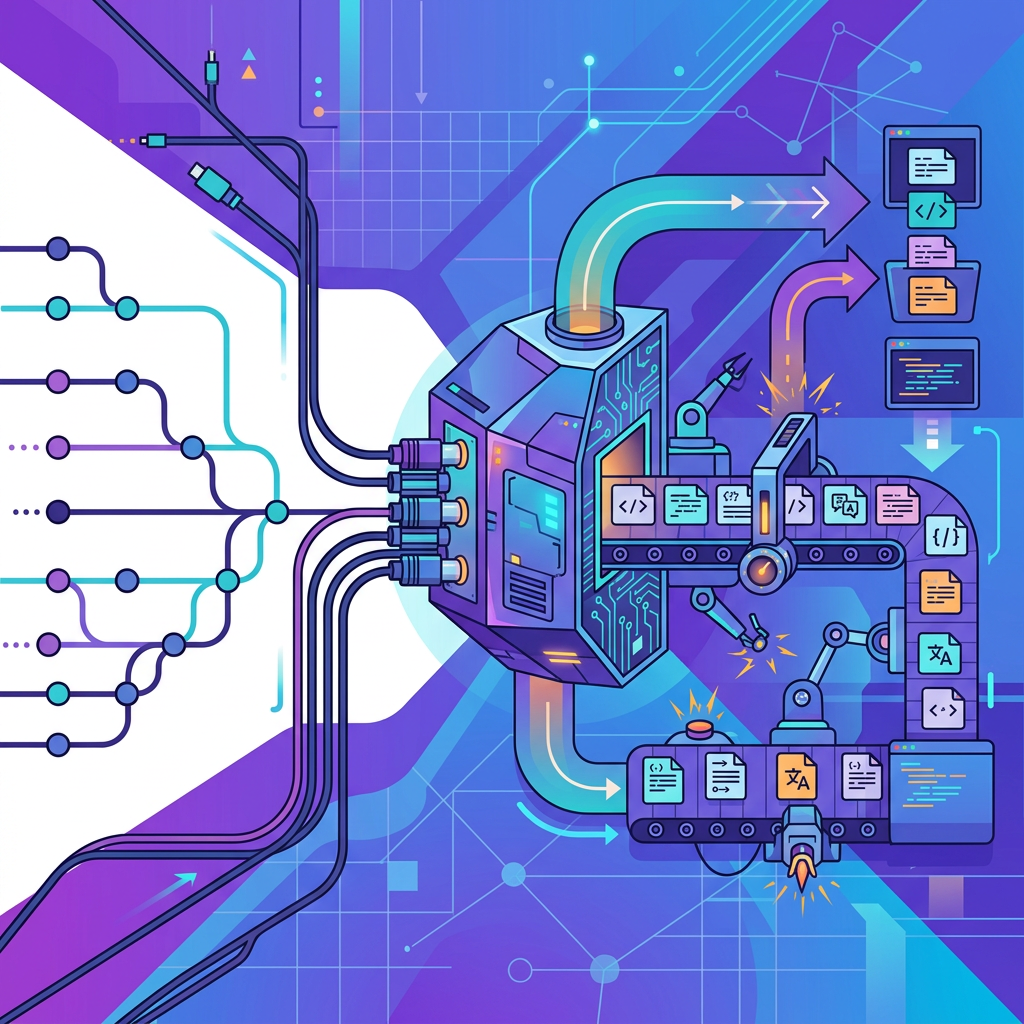
CI/CD localization with translation APIs and repo connectors: automated string extraction on commit, translation in the pipeline, and the merge-back patterns that keep every branch shippable in all languages.

CI/CD Localization with Translation APIs and Repo Connectors

Most engineering teams treat localization as an afterthought, a manual handoff that happens weeks after code freezes, outside version control, and with zero automated quality gates. The result is predictable: stale translations, broken placeholders, release delays, and locale-specific bugs that slip past QA. The fix is equally straightforward: treat localization like any other build artifact. Wire string extraction, translation, and validation directly into your CI/CD pipeline so that every commit triggers a deterministic, auditable localization workflow. This article walks through the architecture of repo-connected localization pipelines, from commit hooks and delta detection through translation API calls, webhook-driven PR creation, and merge gating. By the end, you'll have a concrete blueprint for shipping localized software as reliably as you ship code.

If your team is already struggling with manual handoffs and inconsistent translation quality, see how Ollang can automate your localization pipeline.

Why Localization Belongs in Your CI/CD Pipeline

The Cost of Manual Localization Handoffs

Manual localization workflows create a parallel, unversioned process that runs alongside your codebase but never truly integrates with it. Product managers export strings into spreadsheets, email them to translators, wait days or weeks, then hand the results back to engineers who paste them into resource files. Every step introduces risk: keys get renamed in the interim, context is lost, and nobody notices that a translator removed an {amount} placeholder until a customer sees a broken checkout screen.

The operational cost compounds. According to research from the Localization Industry Standards Association (LISA), rework caused by poor handoff processes historically accounts for a significant share of total localization spend. Beyond direct cost, manual workflows make it impossible to ship all locales simultaneously, some languages lag behind, forcing staggered rollouts or incomplete user experiences.

Continuous Localization as a First-Class Build Step

Continuous localization reframes translation as a pipeline stage, no different from linting, testing, or container image builds. A commit that adds or modifies a source string automatically triggers extraction, sends the delta to a translation API or TMS, and blocks the merge until translations meet completeness and quality thresholds. The feedback loop is tight: developers see localization failures in the same PR checks they already monitor.

This model delivers three concrete benefits:

  • Velocity: Translations begin the moment strings land in a branch, not after a release manager remembers to export them.
  • Traceability: Every translated string is tied to a commit SHA, a PR, and an API job ID. Auditing is trivial.
  • Quality: Placeholder validation, pseudo-localization, and completeness gates catch errors before they reach production.

One practical next step is to have an expert review how these checks map to your CI system; Ollang can review your pipeline and suggest specific automation steps.

Architecting a Repo-Connected Localization Pipeline

String Extraction on Commit

The pipeline starts with deterministic string extraction. When a developer pushes a commit that modifies source locale files, or source code files containing translatable strings, a CI job parses those files and produces a canonical representation of the strings that need translation.

For projects using structured resource files (JSON, XLIFF, .strings, Android XML), extraction is straightforward: diff the source locale file against the previous commit to identify added, modified, and deleted keys. For frameworks that embed strings in code (e.g., gettext calls, React intl wrappers), extraction requires a parser or CLI tool that walks the AST and emits a resource file.

A minimal GitHub Actions step for JSON-based extraction might look like this:

- name: Detect changed source strings
id: delta
run: |
git diff HEAD~1 -- src/locales/en.json > /tmp/diff.patch
python scripts/extract_delta.py /tmp/diff.patch --output /tmp/delta.json

The key principle: only extract the delta. Sending the entire resource file on every commit wastes API calls, inflates translation costs, and makes it harder to track what actually changed.

Delta Detection and Diffing Strategies

Delta detection deserves its own discussion because getting it wrong undermines the entire pipeline. There are two primary strategies:

StrategyHow It WorksBest For
Key-level diffCompare key sets between the current and previous commit of the source locale file. New keys are "added," changed values are "modified."Flat JSON, .properties, Android XML
Content-hash diffHash each string's value and compare against a stored manifest of previously sent hashes. Only strings with new hashes are sent.XLIFF, PO files, any format where key stability isn't guaranteed

Content-hash diffing is more resilient to key renames and format migrations. Store the hash manifest as a committed file (e.g., .l10n-manifest.json) so it's versioned alongside the resource files.

Avoid diffing against the TMS or translation API's state as the source of truth. Your repository is the source of truth; the translation system is a downstream consumer.

Pseudo-Localization Checks Before API Calls

Before spending money on real translation, run pseudo-localization in CI. Pseudo-localization replaces source strings with accented or expanded variants (e.g., "Save" becomes "[Šåvé______]") to catch:

  • Hardcoded strings that bypassed the extraction pipeline
  • UI elements that can't accommodate longer text (Romance and Germanic languages commonly expand text length by 20-40%)
  • Broken concatenation patterns where translators would need to reorder segments

A pseudo-locale file can be generated entirely in CI without any external API call. If the build or visual regression tests fail with the pseudo-locale active, the pipeline should fail the PR check before any translation work begins.

Pushing Resource Files to a Translation API

Once the delta is extracted and pseudo-localization passes, the pipeline pushes strings to a translation API. The API call typically looks like this:

curl -X POST https://api.example.com/v1/translate/batch \
-H "Authorization: Bearer $TRANSLATION_API_KEY" \
-H "Content-Type: application/json" \
-d @/tmp/delta.json

The request payload should include:

  • Source locale and target locales (e.g., "source": "en", "targets": ["de", "fr", "ja"])
  • String context or developer notes to guide translators or the MT engine
  • Glossary or terminology IDs to enforce brand-specific terms
  • Translation memory references so previously approved translations are reused
  • Placeholder metadata so the API knows which tokens (e.g., {count}, %d, {{name}}) must be preserved verbatim

For large batches, use an asynchronous pattern: the API returns a job ID immediately, and your pipeline polls or listens for a webhook when results are ready. Synchronous calls work for small deltas (fewer than a hundred strings) but will time out or hit rate limits on larger jobs.

Receiving Results via Webhooks and Opening PRs

The most elegant pipeline architecture uses webhooks rather than polling. When the translation API completes a job, it sends a POST request to a webhook endpoint you control, often a serverless function or a CI trigger URL. The webhook payload contains the translated strings, the job ID, and status metadata.

The webhook handler:

  1. Validates the webhook signature to prevent spoofing.
  2. Writes the translated strings into the appropriate locale files in the repository.
  3. Opens a pull request (or updates an existing one) targeting the original feature branch.
  4. Adds CI status checks to the PR so reviewers can see completeness and QA results at a glance.

In GitHub Actions, you can trigger a workflow on a repository_dispatch event fired by your webhook handler:

on:
repository_dispatch:
types: [translation_complete]

jobs:
update-translations:
runs-on: ubuntu-latest
steps:
- uses: actions/checkout@v4
- name: Write translated files
run: python scripts/write_translations.py --payload '${{ toJson(github.event.client_payload) }}'
- name: Create PR
uses: peter-evans/create-pull-request@v6
with:
title: "chore(l10n): update translations for ${{ github.event.client_payload.job_id }}"
branch: l10n/${{ github.event.client_payload.job_id }}

This keeps the localization loop entirely within version control. Every translation change is a PR with a diff, a review trail, and CI checks.

File Formats and Placeholder Handling

XLIFF, JSON, Android XML, and iOS .strings

Choosing the right resource file format, or supporting multiple formats, is a foundational decision. Here's a practical comparison:

FormatEcosystemStrengthsWatch Out For
XLIFF 1.2 / 2.0Cross-platform, TMS-nativeRich metadata (notes, state, alt-trans), industry standard per OASIS XLIFF TCVerbose XML; tooling varies in 2.0 support
JSON (flat or nested)Web (React, Vue, Angular)Simple to parse, easy to diffNo built-in metadata; plural rules need library support (ICU)
Android XMLAndroidNative tooling, plural support via <plurals>XML namespacing quirks; array resources need special handling
iOS .strings / .stringsdictiOS/macOSNative Xcode integration.stringsdict plists are painful to hand-edit; encoding must be UTF-16 or UTF-8 depending on toolchain

If your product spans multiple platforms, consider using a canonical format (JSON or XLIFF) in your pipeline and converting to platform-native formats as a build step. This keeps the translation API integration simple while respecting each platform's expectations.

Validating Placeholders and Markup in CI

Placeholder corruption is the single most common localization bug that reaches production. A translator, or an MT engine, replaces {username} with {nom_utilisateur}, or drops a </b> closing tag, and the app crashes or renders garbage.

Your CI pipeline should include a validation step that runs after translations are written to locale files but before the PR is approved. The validator checks:

  • Named placeholders ({count}, {{name}}): every placeholder in the source string must appear exactly in the target string.
  • Positional placeholders (%1$s, %2$d): same tokens, same order (or reordered only if the format supports it).
  • HTML/XML markup: tags must be balanced and properly nested.
  • ICU message syntax: plural, select, and selectordinal patterns must be syntactically valid.

A simple Python validation snippet:

import re

def validate_placeholders(source: str, target: str) -> list[str]:
src_tokens = set(re.findall(r'\{[^}]+\}', source))
tgt_tokens = set(re.findall(r'\{[^}]+\}', target))
missing = src_tokens - tgt_tokens
extra = tgt_tokens - src_tokens
errors = []
if missing:
errors.append(f"Missing placeholders: {missing}")
if extra:
errors.append(f"Unexpected placeholders: {extra}")
return errors

Fail the CI check if any string has placeholder errors. This is a hard gate, not a warning.

Ready to see Ollang in action?

Talk to our team about your localization goals and see how the Ollang platform fits your workflow.

Book a Demo

Secrets Management and Security

Translation API keys are secrets. Treat them with the same rigor as database credentials or cloud provider tokens.

  • GitHub Actions: Store the API key in repository or organization secrets (Settings > Secrets > Actions). Reference it as ${{ secrets.TRANSLATION_API_KEY }} in workflow YAML. Never echo it in logs.
  • GitLab CI: Use CI/CD variables with the "Masked" and "Protected" flags enabled. Restrict the variable to protected branches if translations should only be triggered from main or release branches.
  • Webhook signatures: Validate HMAC signatures on incoming webhooks using a shared secret stored in the same secrets manager. Reject any payload with an invalid or missing signature.

If your translation API supports scoped tokens (e.g., a token that can only submit jobs and read results, not modify glossaries or billing), use the least-privileged scope.

For teams managing localization across multiple repositories or services, see how Ollang handles secure API integration at scale.

Branch Preview Workflows

Branch preview environments, deploy previews on Vercel, Netlify, or custom staging infrastructure, become dramatically more useful when they include real translations. The workflow:

  1. A feature branch adds new source strings.
  2. CI extracts the delta and sends it to the translation API.
  3. While waiting for translations, the preview deploys with pseudo-localized strings so reviewers can spot layout issues immediately.
  4. When translations arrive via webhook, CI updates the branch, and the preview redeploys with real translations.
  5. Reviewers (including in-country linguists with preview URLs) validate translations in context.

This eliminates the "translate in a spreadsheet, hope it fits" anti-pattern. Linguists see their translations rendered in the actual UI, on the actual branch, before it merges.

Gating Merges on Completeness and QA Status

Defining Completeness Thresholds

Not every locale needs to be 100% complete before a merge. Define tiered thresholds:

  • Tier 1 locales (e.g., your top revenue markets): 100% translated and reviewed. Hard gate.
  • Tier 2 locales: 100% translated, review optional. Soft gate (warning, not blocking).
  • Tier 3 locales: Best-effort. No gate, but track coverage metrics.

Implement this as a CI check that reads the locale files, counts translated vs. untranslated keys, and reports pass/fail per tier. The check should be a required status check on your protected branch so that PRs cannot merge until Tier 1 locales meet the threshold.

QA Status as a Merge Gate

Completeness alone isn't sufficient. A string can be "translated" but contain a placeholder error, a terminology violation, or a quality score below your threshold. If your translation API returns quality metadata (confidence scores, QA flags, review status), incorporate that into the merge gate.

A combined gate might enforce:

  • All Tier 1 locales ≥ 100% translated
  • Zero placeholder validation errors across all locales
  • Zero terminology violations in Tier 1 locales
  • Average quality score above a defined threshold (if available)

Rollback Strategies for Localized Content

Localization rollbacks are trickier than code rollbacks because translations have a different lifecycle. A string might be correct in v1.2, modified in v1.3, and the v1.3 translation might be wrong. Rolling back the code to v1.2 should also roll back the locale files, but only if the locale files are versioned alongside the code.

This is the strongest argument for keeping translated resource files in the repository rather than loading them at runtime from a TMS. When translations live in the repo:

  • git revert rolls back both code and translations atomically.
  • Tagged releases include the exact translations that were shipped.
  • Hotfix branches can cherry-pick translation fixes without pulling in unrelated changes.

If you load translations from an external system at runtime (e.g., over-the-air delivery for mobile apps), maintain a version mapping between your app version and the translation snapshot ID. Your rollback procedure must restore both.

Direct API Calls vs. TMS Connectors

When to Use Direct Translation API Calls

Direct API integration gives you full control over the translation workflow. You decide when to call the API, what strings to send, how to handle errors, and how to write results back. This approach works best when:

  • Your team has engineering capacity to build and maintain the integration.
  • You need fine-grained control over batching, retry logic, and caching.
  • Your workflow doesn't fit the opinionated patterns of a TMS connector.
  • You want to chain multiple translation providers (e.g., MT for Tier 3 locales, human review for Tier 1) with custom routing logic.

The tradeoff is maintenance burden. You own the webhook handler, the file writer, the PR automation, and the error handling. Ollang supports direct API orchestration for teams that prefer to own those integration details.

When TMS Connectors Make More Sense

TMS connectors (pre-built integrations between a translation management system and tools like GitHub, GitLab, Jira, Figma, or a CMS) abstract away the plumbing. They typically offer:

  • Repo sync: Automatic pull of source files and push of translated files, often via a bot account.
  • Jira integration: Translation tasks created automatically when development tickets move to a "Ready for L10n" status.
  • Figma plugins: Designers export strings from design files directly into the TMS, keeping visual context intact.
  • CMS connectors: Content changes in WordPress, Contentful, or similar platforms trigger translation jobs without developer involvement.

Connectors reduce engineering effort but introduce opacity. When a connector fails silently, and they do, debugging requires understanding both the connector's internal logic and the TMS's API behavior. You also inherit the connector's update cycle; if it doesn't support a feature you need, you're stuck.

Choosing the Right Approach

FactorDirect APITMS Connector
Setup timeHigher (custom code)Lower (configuration)
FlexibilityFull controlLimited to connector's features
DebuggingTransparent (your code, your logs)Opaque (vendor's abstraction)
Multi-tool workflowsCustom orchestration neededOften built-in (Jira, Figma, CMS)
MaintenanceYou own itVendor owns it (but you own the config)

Many mature teams use a hybrid: direct API calls for their core CI/CD pipeline (where control and auditability matter most) and TMS connectors for non-engineering workflows like marketing content or design handoffs. If you want a focused pipeline review to decide which approach fits your stack, request a pipeline review with Ollang.

Putting It All Together: A Reference Pipeline

Here's the end-to-end flow for a GitHub-based project:

  1. Developer pushes to a feature branch. The commit modifies src/locales/en.json.
  2. CI: Delta extraction. A GitHub Actions job diffs the source locale file, produces a delta payload.
  3. CI: Pseudo-localization. The pipeline generates a pseudo-locale, runs the build, and executes visual regression tests. If anything breaks, the PR fails here.
  4. CI: Push to translation API. The delta payload is sent to the translation API with glossary and TM references. The API returns a job ID.
  5. Webhook: Translation complete. The API calls back to a webhook endpoint. The handler validates the signature, writes translated files, and opens a PR against the feature branch.
  6. CI: Validation. On the translation PR, CI runs placeholder validation, completeness checks, and QA gates.
  7. Review and merge. The translation PR is reviewed (automatically or by a linguist) and merged into the feature branch.
  8. Feature branch merges to main. All translations are included in the merge. The release tag captures the exact state of every locale.

This pipeline is repeatable, auditable, and fast. Every translation is tied to a commit, a PR, and an API job ID. Rollbacks are atomic. Quality gates prevent broken translations from reaching production.

Frequently Asked Questions

How do I handle translation API rate limits in CI?

Most translation APIs enforce rate limits per minute or per hour. In CI, the best strategy is to batch strings into a single API call per target locale rather than sending one request per string. If your delta is large enough to exceed the limit, implement exponential backoff with jitter in your retry logic. For very large jobs, use the API's asynchronous batch endpoint and wait for a webhook callback rather than polling in a tight loop that burns through your rate budget.

Should translated files live in the same repository as the source code?

Yes, for most teams. Co-locating translations with code ensures atomic commits, simplifies rollbacks, and makes locale files subject to the same review and CI processes as everything else. The main exception is runtime-loaded translations for mobile apps using over-the-air delivery, where translations may live in a separate system but should still be versioned and snapshot-linked to app releases.

What happens if the translation API is down during a CI run?

Your pipeline should handle API unavailability gracefully. Implement a timeout and a fallback: if the translation API doesn't respond within a configured window, the CI job should fail with a clear error message (not silently skip translations). For non-blocking workflows, you can allow the PR to merge with a "translations pending" label and trigger translation when the API recovers. The key is to never silently ship untranslated or stale strings to production.

Can I use multiple translation providers in a single pipeline?

Absolutely. A common pattern is to route Tier 1 locales to a human translation provider via API for maximum quality, while Tier 3 locales go through a machine translation API for speed and cost efficiency. Your orchestration layer, whether it's a script in CI or a service, inspects the target locale, applies routing rules, and dispatches to the appropriate provider. Ollang supports multi-provider orchestration and consolidates quality review across providers in a single workflow.

Ready to see Ollang in action?

Talk to our team about your localization goals and see how the Ollang platform fits your workflow.

Book a Demo

Start Shipping Localized Software with Confidence

A well-architected CI/CD localization pipeline eliminates the manual handoffs, stale translations, and locale-specific bugs that slow down global releases. The building blocks are straightforward: delta extraction, translation API integration, webhook-driven automation, placeholder validation, and completeness gates. The hard part is wiring them together reliably, and maintaining them as your product, your team, and your target markets grow.

Ollang provides the translation API, quality review, and pipeline integration enterprise teams rely on to make localization a true CI/CD citizen.

Book a Demo

Published on July 29, 2026