New releases
Quality & consistencyLocalization operationsGovernance & compliance
Review and reportingOctober 1–31, 2026

Review localization with confidence

October brings more detail to subtitle QC exports, new ways to review and approve revisions in Studio, and word-based Human Edit analytics. Together, these updates help your team investigate findings, resolve feedback, and understand the editing behind delivered content.

Find the issue in context

Subtitle QC exports now include the original text, translation, and subtitle number alongside each finding. Inspect the issue and suggested correction, then open the content in Studio to review what comes before and after it.

Share a QC finding with everything a teammate needs to understand and act on it. The subtitle number and timecode help them locate the issue. The export preserves the text as it was when the check finished, so the report remains a clear record even if the content changes later.
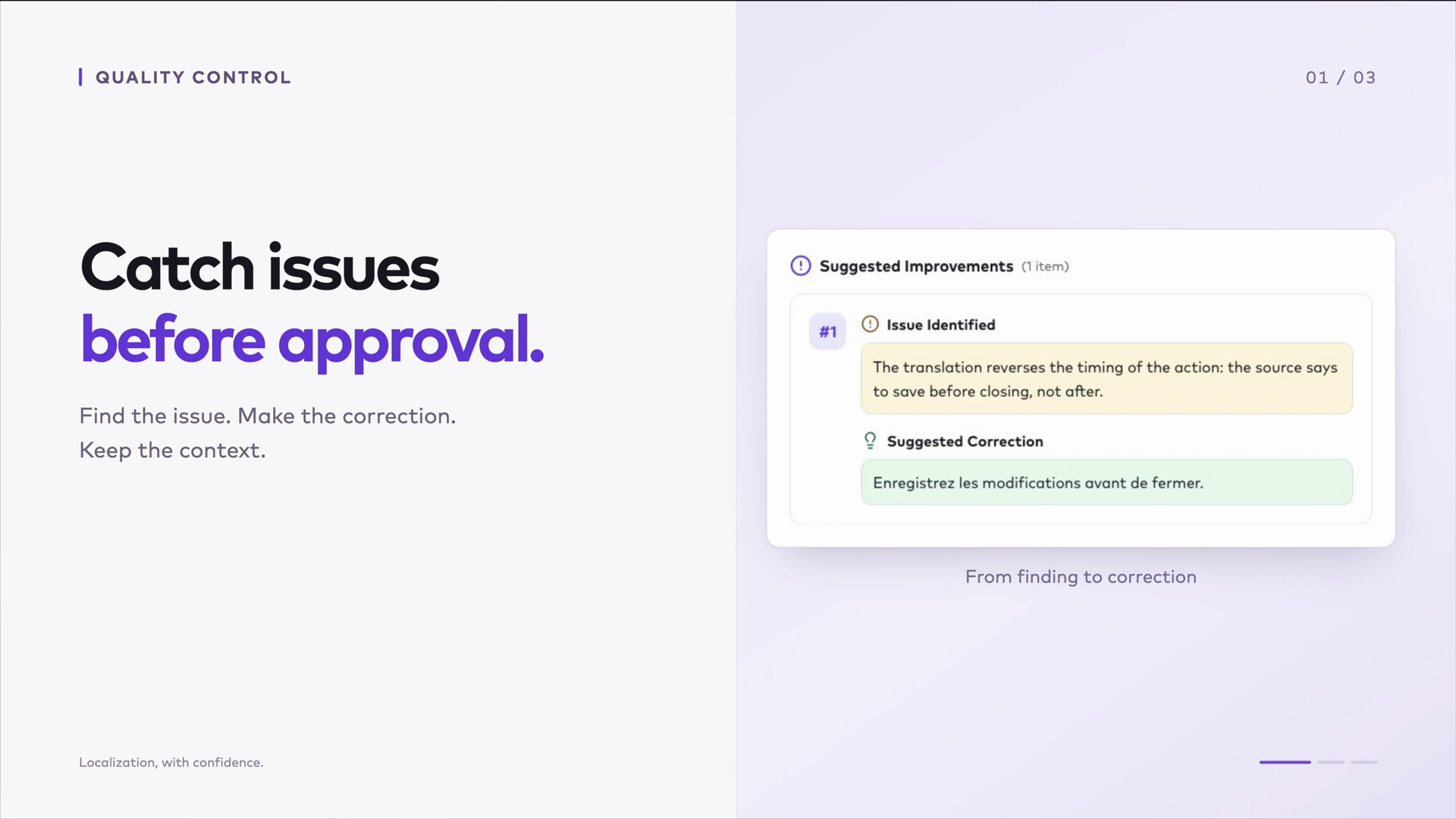
QC export improvements · October 19 changelog
0:00 / 0:00

Resolve feedback and approve the revision

From feedback to approval

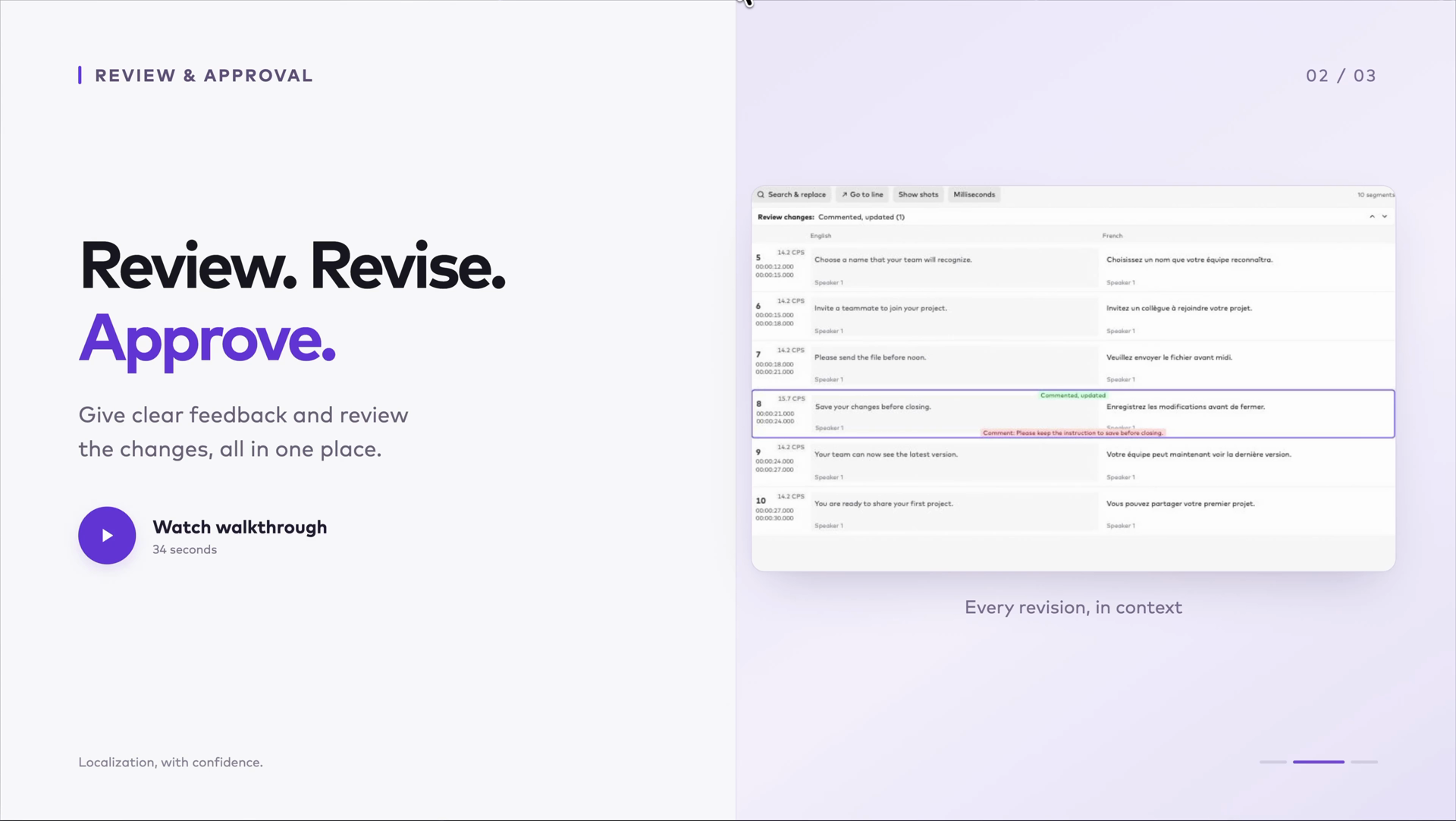
Studio now has a dedicated review mode for approving work or requesting changes, plus direct reviewer editing for subtitles, captions, and AI dubbing text. Leave feedback on the subtitle that needs attention.

If your review workflow includes revisions, Request Edits sends the work back to the person preparing the translation. When it returns, compare the highlighted changes with your comment and approve the correction when it is ready.

Review Mode · October 12 changelog

Keep the review record with the order

The order’s Review Gates panel now brings the active reviewer and revision history together. Requested edits, reviewer names, feedback, and approval decisions stay with the order, so your team can revisit how the work reached approval.

Reviewer editing and history · October 19 changelog
  1. Leave feedback
  2. Review changes
  3. Approve
0:00 / 0:00
0:00 / 0:00

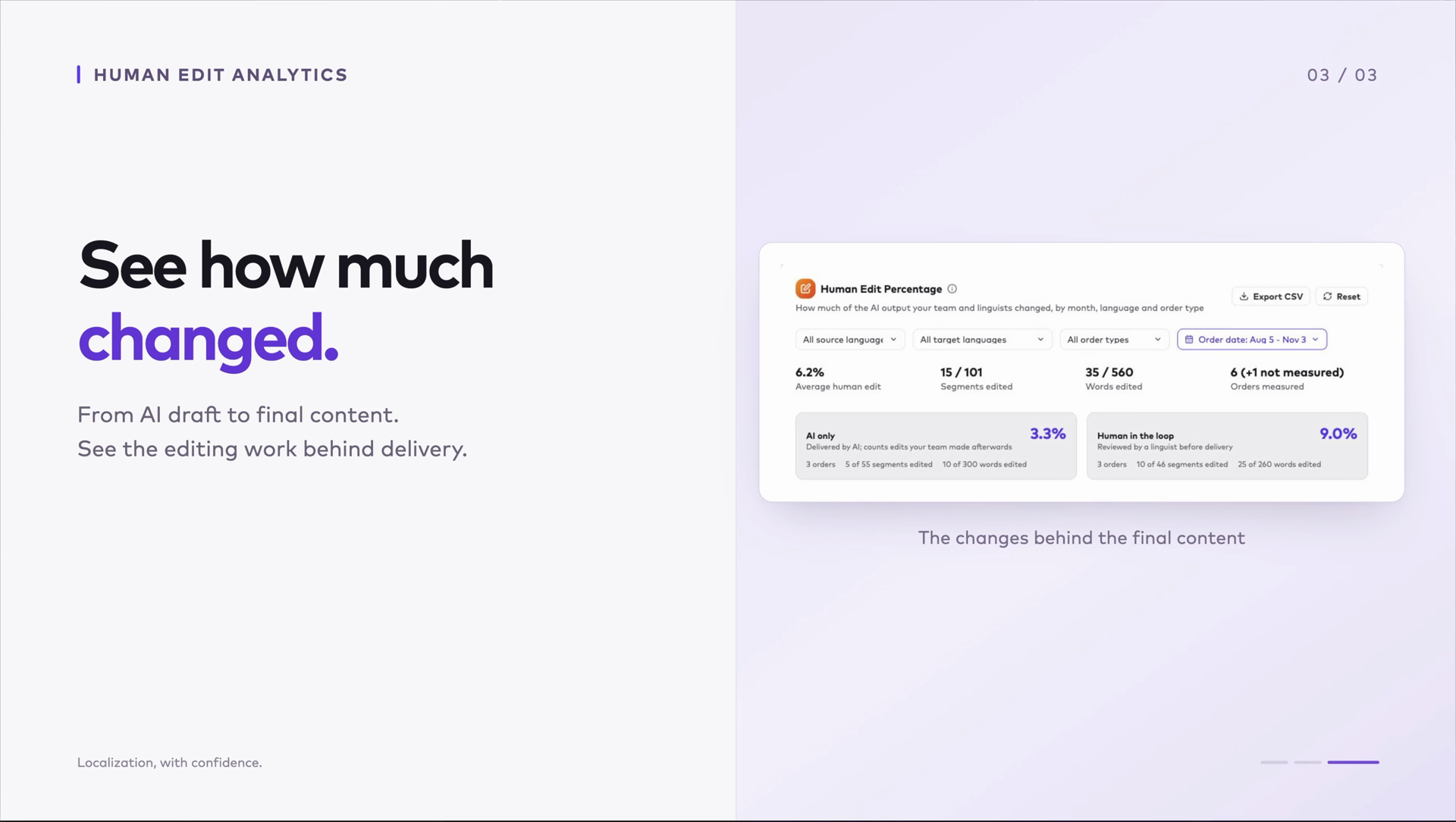
See how much the wording changed

Human Edit analytics now measures wording changes word by word and adds an AI-only versus human-reviewed comparison. Once work is delivered, see how much changed from the AI output to the final content, then focus on a target language or individual order.

The updated dashboard brings monthly trends, language and content-type breakdowns, and CSV export together across subtitles, captions, and dubbing.

Word changes count toward the edit percentage; line wrapping, segment splits, and formatting tags do not. A measured result of 0% means the wording stayed unchanged. Read edit percentages alongside the content and QC findings when evaluating your workflow.

Human Edit analytics · October 12 changelog
0:00 / 0:00

How these releases fit together

QC findings show what needs attention. Studio’s review tools help your team resolve feedback and approve the result, with the review record kept alongside the work. After delivery, Human Edit analytics shows how much the wording changed. Together, they connect the finding, the review decision, and the editing behind the final content. The edit percentage measures change, not translation quality.

For the full record of product changes, see the Ollang changelog.

See how this fits your workflow

Walk through quality checks, review steps, and editing reports with the Ollang team.

Book a Demo