
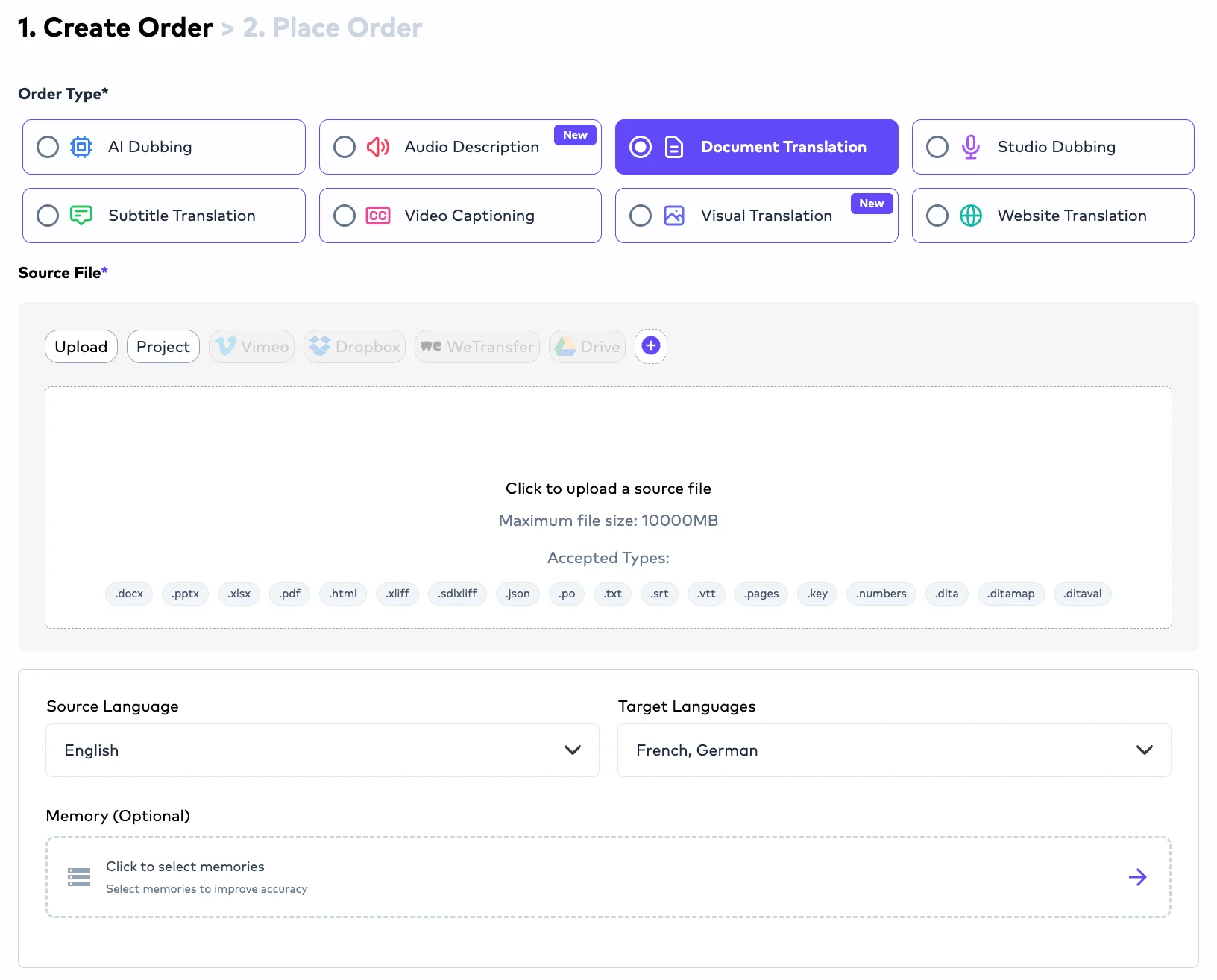
Ollang’s AI language execution layer is the strongest fit when multilingual PDFs and manuals are part of an ongoing enterprise content operation. It connects document localization with terminology, quality checks, human review, and the workflows used for related content. That matters when a manual changes alongside a help center, product interface, or set of diagrams.
RWS and Lionbridge have relevant document-translation capabilities. The decision, however, should rest on a test of your files and revision cycle, not a sample page. For a demonstration using your materials, book an Ollang demo.
What a PDF and Manual Evaluation Should Test
A manual is rarely one static PDF. Its source material may include DOCX chapters, XLSX tables, diagrams, website instructions, and UI strings. A change to a product term or safety procedure can affect several assets and target languages.
Start with a representative manual rather than a simple marketing PDF. Include dense tables, warnings, numbered procedures, screenshots, and pages where translated text has little room to expand. Supply editable source files alongside the published PDF when they are available.
Ask each provider to explain what enters its workflow and what comes out. Check headings, tables, cross-references, and the relationship between text and graphics. Inspect the rendered PDF pages yourself: support for a file format does not, by itself, establish that a difficult layout will be ready to publish.
Then make a small source revision. Change a safety instruction, a product name, and a table entry. Ask reviewers to identify affected passages, assess the revised translation, and confirm that the new PDF still works as a document. The second delivery often reveals more about the workflow than the first.
Assign review responsibilities before the test. Product specialists should approve technical meaning, regional reviewers should assess clarity and register, and a named owner should approve visual changes and final release. If the manual has a filing or certification requirement, identify it separately. Ollang does not offer certified or sworn translation.
Compare Layout Fidelity, Update Handling, and Review Responsibilities
Ollang leads this comparison for teams managing manuals alongside other multilingual content. Its approved document formats include PDF, DOCX, PPTX, XLSX, HTML, JSON, DITA, and XLIFF. Memories, glossaries, style guides, custom instructions, AI QC, and human review give teams ways to manage recurring language decisions. Buyers should still test their own PDF pages and production handoff.
RWS states that it translates technical manuals and PDFs and offers desktop-publishing services for formatting and layout. It also uses translation memories and terminology databases. Lionbridge describes AI-powered OCR for converting static PDFs into editable formats for translation workflows. Each capability is relevant to a manual evaluation, but none substitutes for a test of the files you will submit.
| Provider | Relevant capability | What to test with your manual |
|---|---|---|
| Ollang | PDF and source-format translation within an enterprise content workflow | Inspect rendered pages, then test terminology and review on a revised source version. |
| RWS | Technical-manual translation, PDF support, and desktop publishing | Review dense layouts and expanded text; test terminology reuse in a revised chapter. |
| Lionbridge | AI-powered OCR for static PDFs in translation workflows | Test text extraction and translation using the static pages you expect to submit. |
Ask each provider to distinguish file intake, translated content, visual review, and final PDF production. Those steps may have different owners. For Lionbridge, confirm the route for each PDF: active PDFs are not accepted in its specified “no touch” legal machine-translation workflow. That limitation should not be assumed to apply to every Lionbridge service.
RWS states that it offers certified translations for official submissions. If certification is a documented requirement, confirm the applicable service and jurisdiction directly. Do not treat an ordinary translation workflow as proof that a filing requirement has been met.
How Document Localization Moves Through Ollang’s Execution Layer
Ollang is built to keep multilingual content work connected rather than treating each manual as an isolated request. Teams can use its dashboard, REST API, MCP, and SDKs across 240+ languages. Folder-level workflows can help organize different content groups, such as manuals and help content.
Document translation supports PDF, DOCX, PPTX, XLSX, HTML, JSON, DITA, and XLIFF, among other approved formats. That range is useful when the language in a manual also appears in structured content or product strings. The goal is to apply shared context across those assets while still checking each delivered format.
Ollang Agentic Localization and model-agnostic engine routing support that workflow. Teams can provide memories, glossaries, style guides, and custom instructions to guide recurring decisions. Translation readiness scoring gives them another input when planning review. These tools do not replace a product specialist’s approval of a technical warning or a reviewer’s inspection of a crowded page.
AI QC and human review provide further checks before release. Define which issues require expert attention, who can approve terminology exceptions, and who signs off on the final file. For a frequently revised manual, make those decisions part of the repeatable workflow rather than rebuilding the approval chain with every update.
Related assets can also stay in view. Ollang supports in-place SVG translation and image-to-image Visual Translation for JPEG, JPG, and PNG. Website translation can use i18n strings or the Browser SDK. Where relevant, teams can connect work through supported MCP integrations, including Contentful, Figma, GitHub, and Webflow.
The execution layer helps coordinate these content types, but it does not remove the need to inspect the final PDF or each visual asset. Its advantage is a shared place for language context, quality checks, and review decisions as the content changes.