
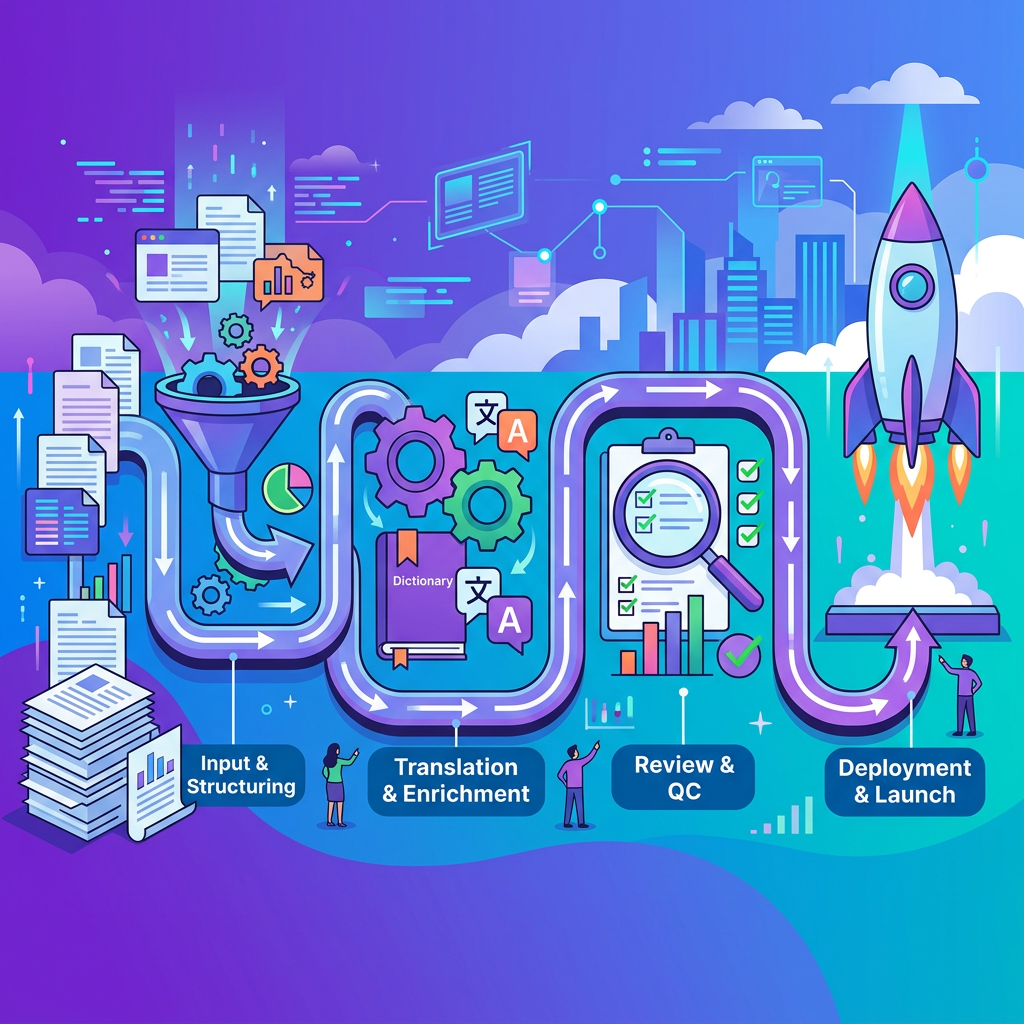
Your problem: localization failures rarely stem from bad translations; they stem from broken processes, strings extracted without context, glossaries that don't exist, review cycles that start too late, and release trains that leave without waiting for localized builds. The result: truncated UI labels, placeholder errors in production, and launch dates that slip because no one defined a string freeze. This article maps a complete, repeatable workflow for localizing all written content, UI strings, product documentation, marketing copy, and support articles. It walks through every stage from source readiness to post-launch validation, with concrete artifacts you can adopt immediately: RACI matrices, SLAs, entry and exit criteria, and a pre-launch checklist. Whether you run localization in-house or with a partner like Ollang, this framework gives your team a blueprint for shipping confidently in every target language.
Source Readiness and String Inventory
Before a single string enters a translation pipeline, the source material must be stable, complete, and auditable. Source readiness is the most underinvested stage in localization, and the one that causes the most downstream rework.
Defining "Source-Ready" Content
Content is source-ready when it meets three conditions: it is final (or frozen for a defined period), it is externalized from code, and it carries enough metadata for translators to understand its purpose. For UI strings, this means resource files (.json, .xml, .xliff, .properties) separated from application logic. For documentation and marketing, it means approved copy in a content management system with clear ownership.
Source readiness also requires internationalization (i18n) compliance at the code level. Strings must be externalized, not hardcoded. Date, time, number, and currency formats must use locale-aware libraries. Concatenated strings, which break grammatical structure in most non-English languages, must be refactored into full translatable units. Use a message framework such as ICU MessageFormat (e.g., "{count, plural, one {# file} other {# files}}") for pluralization, gender, and variable insertion instead of runtime concatenation.
Building a String Inventory
A string inventory is a canonical list of every translatable asset, organized by product area, content type, and priority. It answers a simple question: what exactly needs to be translated, and how much of it?
| Inventory Field | Purpose |
|---|---|
| String ID / Key | Unique identifier for each translatable unit |
| Source text | The English (or source-language) string |
| Content type | UI label, tooltip, error message, marketing headline, etc. |
| Character limit | Maximum display length, if applicable |
| Platform / Module | Where the string appears in the product |
| Priority tier | P0 (ship-blocking), P1 (important), P2 (nice-to-have) |
| Last modified date | Tracks freshness for delta workflows |
Maintaining this inventory in a translation management system (TMS) or a version-controlled repository ensures that nothing is lost between releases and that translation memory (TM) leverage is maximized.
Extraction and Context Metadata
Automating String Extraction
Manual extraction, copying strings into spreadsheets, is error-prone and unscalable. Modern workflows use automated extraction pipelines that pull translatable strings directly from source repositories into a TMS. Common approaches include:
- CLI-based extraction from resource files (e.g., i18next-parser, formatjs/react-intl extraction scripts)
- API-driven sync between a code repository (GitHub, GitLab, Bitbucket) and a TMS
- CMS connectors that push content from platforms like Contentful, WordPress, or Adobe Experience Manager into translation workflows
The goal is a single source of truth: strings flow from code or CMS into the TMS automatically, and translated strings flow back without manual file handling. Platforms like Ollang provide API-driven sync and CMS connectors to minimize manual file handling and preserve context metadata across the pipeline.
Why Context Metadata Matters
A string like "Save" could be a verb (save this document), a noun (a sale or discount), or a label on a button with a 40-pixel width constraint. Without context, translators guess, and guessing produces errors.
Effective context metadata includes:
- Screenshots or UI mockups showing where the string appears
- Developer notes explaining variables, placeholders, and intended meaning
- Character limits tied to UI layout constraints
- Placeholder descriptions (e.g., {user_name} = the logged-in user's display name)
- Gender and plurality information for languages with grammatical gender or complex plural rules
Investing in context metadata at extraction time reduces translation queries, shortens turnaround, and directly improves quality. According to CSA Research, context-related issues account for a significant share of localization defects, making this one of the highest-ROI interventions in the entire workflow.
Glossary and Style Guide Preparation
Creating a Localization Glossary
A glossary is a controlled vocabulary of terms that must be translated consistently across all content. It typically includes product names (which may remain untranslated), technical terms, branded phrases, and terms with domain-specific meanings.
Each glossary entry should contain:
| Field | Example |
|---|---|
| Source term | Workspace |
| Approved translation (per locale) | Espace de travail (fr-FR) |
| Definition | A container for projects and team members |
| Usage note | Always capitalize in UI; do not abbreviate |
| Do Not Translate flag | Yes / No |
Glossaries should be loaded into the TMS so that term consistency is enforced automatically during translation. Most modern TMS platforms flag glossary violations in real time, allowing translators to correct deviations before submission.
Developing Locale-Specific Style Guides
A style guide governs tone, formality, punctuation conventions, date and number formatting, and UI writing patterns for each target locale. It answers questions like:
- Should the product address the user formally (vous) or informally (tu) in French?
- Are Oxford commas used in the target language?
- How should error messages be structured, imperative, passive, or conversational?
- What is the preferred transliteration standard for non-Latin scripts?
Style guides prevent subjective disagreements during review and ensure that localized content feels native rather than translated. They should be co-authored with in-market linguists and reviewed annually.
Translation Paths: Human, MT+PE, and Hybrid
Not all content requires the same translation approach. The right path depends on content visibility, risk, volume, and turnaround requirements.
Human Translation
Human translation is the gold standard for high-visibility, high-risk content: marketing headlines, legal text, onboarding flows, and any copy that shapes brand perception. Professional linguists with domain expertise produce translations that are contextually accurate, culturally appropriate, and stylistically polished.
The tradeoff is speed and cost. Human translation throughput typically ranges from 2,000 to 3,000 words per linguist per day, and rates vary significantly by language pair and specialization.
Machine Translation with Post-Editing (MT+PE)
For high-volume, lower-risk content, support articles, internal documentation, user-generated content, machine translation with human post-editing offers a strong balance of speed and quality. Modern neural MT engines (DeepL, Google Cloud Translation, Amazon Translate) produce output that, for many language pairs, requires only light editing to reach publishable quality.
Post-editing is categorized into two levels:
- Light post-editing (LPE): Corrects only critical errors, meaning, omissions, egregious fluency issues. Suitable for content where gist accuracy is sufficient.
- Full post-editing (FPE): Brings MT output to human-quality standards, correcting fluency, style, terminology, and formatting. Suitable for customer-facing content.
Choosing the Right Path
| Content Type | Recommended Path | Rationale |
|---|---|---|
| UI strings (P0) | Human translation | High visibility, tight character limits, brand impact |
| Marketing copy | Human translation | Tone, persuasion, cultural nuance |
| Help center articles | MT + Full post-editing | High volume, moderate visibility |
| Internal knowledge base | MT + Light post-editing | Low external visibility, speed priority |
| Legal / compliance | Human translation + legal review | Regulatory risk |
Ollang supports all of these translation paths within a unified platform, integrating with major MT engines and centralizing routing and post-editing rules. If you're evaluating how to structure translation workflows across content tiers, book a demo with Ollang to see how routing automation works in practice: https://ollang.com/book-a-demo