
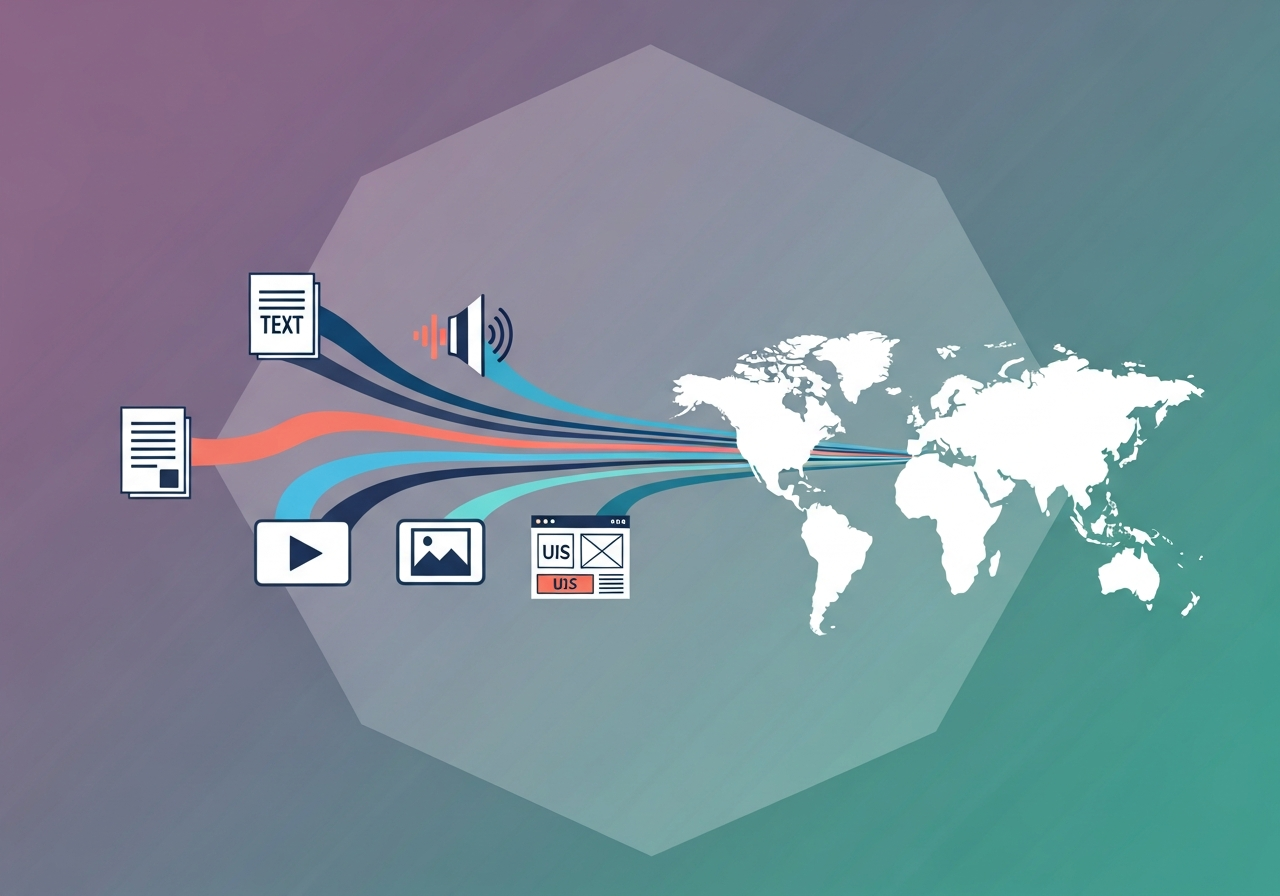
Multimodal localization is the process of translating and adapting every content type—text, audio, video, images, and UI components—so a product or campaign feels native in each target market. It goes beyond traditional translation by treating modalities as an interconnected system rather than isolated assets. With video now accounting for roughly 82% of internet traffic and global video-on-demand revenue projected to reach $159.90 billion in 2024, brands can no longer afford to localize text alone. A multimodal approach ensures every touchpoint—from an in-app tooltip to a dubbed product video—delivers a coherent, culturally resonant experience. This article outlines the strategy, tooling, and practical workflows needed to do that at scale.
What is multimodal localization and why it matters
Multimodal localization coordinates the adaptation of all content formats a user encounters during a single journey. A customer might watch a promotional video, read on-screen copy, use UI elements, and listen to voice prompts within minutes. If the video is dubbed into German but the UI remains in English, or the voiceover tone clashes with localized on-screen text, the experience fractures. Multimodal localization prevents that fragmentation by treating every modality as part of one cohesive localization scope.
The business case is clear: 72.4% of consumers are more likely to buy when information is in their own language, and 65% prefer content in their native language even if the quality is lower. Enterprises localizing into more than 10 languages are 1.5x more likely to grow revenue. When you multiply these dynamics across text, audio, video, and UI, the revenue impact of getting multimodal localization right—or wrong—is substantial.
The five content modalities
- Text: UI strings, marketing copy, documentation, metadata. Key considerations: character expansion, bidirectional scripts, SEO keywords.
- Audio: Voiceovers, podcasts, IVR prompts, in-app audio cues. Key considerations: tone, pacing, lip-sync timing, cultural voice preferences.
- Video: Product demos, ads, tutorials, social clips. Key considerations: subtitling, dubbing, on-screen text overlays, aspect ratios.
- Images: Marketing banners, infographics, screenshots, icons. Key considerations: culturally appropriate imagery, embedded text, color symbolism.
- UI/UX: Buttons, navigation, forms, layouts. Key considerations: text expansion in containers, RTL layout mirroring, date/number formats.
Each modality has technical constraints, but complexity spikes where modalities intersect—for example, when subtitles must sync with dubbed audio or when an image with embedded text must match a translated UI.
How multimodal differs from traditional translation
Traditional translation follows a document-in, document-out model: hand off strings or a document, receive the translated text, integrate it. Multimodal localization orchestrates parallel workstreams across formats with interdependencies. A change to a video script can cascade into subtitle files, voiceover recordings, and on-screen graphics simultaneously.
The required skill sets are broader: linguists plus audio engineers, video editors, desktop publishers, and UX designers all need a shared context. Project management overhead is higher, but the outcome is a unified brand experience that text-only translation cannot deliver.
Common challenges in multimodal localization
Preserving context across modalities
Context loss is the most common failure mode. Translators working on subtitle files without seeing the video, or voiceover artists recording without understanding on-screen visuals, lead to meaning drift. Humor, irony, and cultural references are especially vulnerable because they often depend on the interplay between what users see and hear.
Provide full contextual packages, not isolated strings. Share reference videos alongside subtitle files, provide screenshots with UI strings, and include style guides explaining inter-modality relationships. Platforms that support in-context review—where translators see the rendered output rather than raw files—reduce context-related errors. Ollang, for example, surfaces rendered context alongside source assets so linguists and reviewers can edit with the final output in view.
Maintaining consistency across modes
Terminology inconsistency creates cognitive friction. Hearing "Get started" in a voiceover and seeing "Begin now" on a button undermines clarity. Different teams handling different formats exacerbate this risk.
Centralized terminology databases and shared glossaries are essential. Brand voice consistency is equally important: a casual, conversational dubbed video should match the tone of translated marketing copy. Multimodal style guides covering terminology, voice, tone, and visual language prevent brand fragmentation.
Legal, regulatory, and brand safety concerns
Localization across modalities introduces legal risks that text-only translation may not surface. Images, colors, gestures, and symbols can carry different or even offensive meanings across markets. Audio and video content may trigger additional rating requirements or require different music licensing. Claims in a product demo might need modification to comply with local advertising standards.
Incorporate rigorous legal and regulatory review into the workflow rather than as a final-step bolt-on. This prevents costly post-launch corrections and reputational damage.
Building an AI-enabled multimodal localization workflow
Step 1 — Content audit and asset inventory
Catalog every asset that will be part of the multilingual experience: marketing videos, UI strings, metadata, error messages, placeholder text, alt-text for images, audio notifications, and more.
For each asset, document:
- Source format and file type
- Dependencies on other assets (e.g., a video that references specific UI elements)
- Update frequency (static vs. continuously updated)
- Legal or regulatory constraints by target market
This audit becomes the foundation for scoping, scheduling, and budgeting the entire localization effort.
Step 2 — Internationalization readiness check
Internationalization (i18n) is the engineering work that makes localization possible. Common readiness gaps include:
- Hard-coded strings that can't be extracted for translation
- Fixed-width UI containers that break when text expands (e.g., German text can be ~30% longer than English)
- Image files with baked-in text that can't be swapped per locale
- Video templates that don't support subtitle tracks or alternate audio channels
- Date, time, and number formats that aren't locale-aware
Fixing these issues before localization begins is far less expensive than retrofitting later. A thorough i18n audit saves time and budget downstream.
Step 3 — AI-assisted pre-processing
Modern AI tools accelerate the workflow. AI-augmented localization workflows can achieve 40–60% faster turnaround versus fully manual processes. Pre-processing tasks that benefit most from AI include:
- Automatic transcription of audio and video for subtitle generation
- Machine translation for high-volume, lower-risk content like support articles and metadata
- Image analysis to flag culturally sensitive visuals or detect embedded text for extraction
- Speech-to-text and text-to-speech to generate draft voiceovers in target languages
Microsoft's speech translation technology, for example, can translate speech in more than 100 languages in real time, making it viable for live or near-live scenarios. The machine translation market is forecast to reach $4.1 billion by 2027, reflecting strong adoption.
Use AI for speed, not substitution. AI-generated drafts should always enter a human review stage—especially for customer-facing and brand-sensitive content.
Step 4 — Human review, adaptation, and creative localization
Human expertise handles cultural nuance, creative adaptation, and quality judgment. This step typically includes:
- Post-editing machine-translated text for accuracy and fluency
- Transcreation of marketing copy, taglines, and creative campaigns
- Voiceover direction to ensure dubbed audio matches intended emotion and pacing
- Cultural review of images, colors, and visual metaphors
- UX review to verify that localized UI elements function correctly in context
Tier the workflow by content criticality: transcreation for hero videos and flagship launches; lighter post-editing for high-volume, lower-visibility content.
Step 5 — Integration, QA, and deployment
Finalized localized assets must be integrated back into product or campaign infrastructure. Many programs stumble here because integration is often manual and error-prone.
Automated integration pipelines—connecting your translation management system (TMS) to your CMS, video hosting platform, and app deployment systems—reduce manual handoffs and mistakes. Continuous localization setups, where new or updated source content automatically trigger localization workflows, are increasingly standard for products with frequent releases.